Tithing Declaration 2026: Sign-Up Sheet and Scheduling
Choose a printable sign-up sheet or a shared booking page to help households find a time.
Start free · How your data is handled
Free forever. Works alongside LCR. Not for finances, worthiness discussions, or interview content.
Free template downloads
No email required.
Prefer Google Docs? Download the editable DOCX, upload it to Google Drive, then choose Open with → Google Docs. Use File → Save as Google Docs to make your own editable version. These are real downloads, not Google “make a copy” links.
Review the audience and contents before printing or sharing. Do not include finances, worthiness discussions, or interview content.
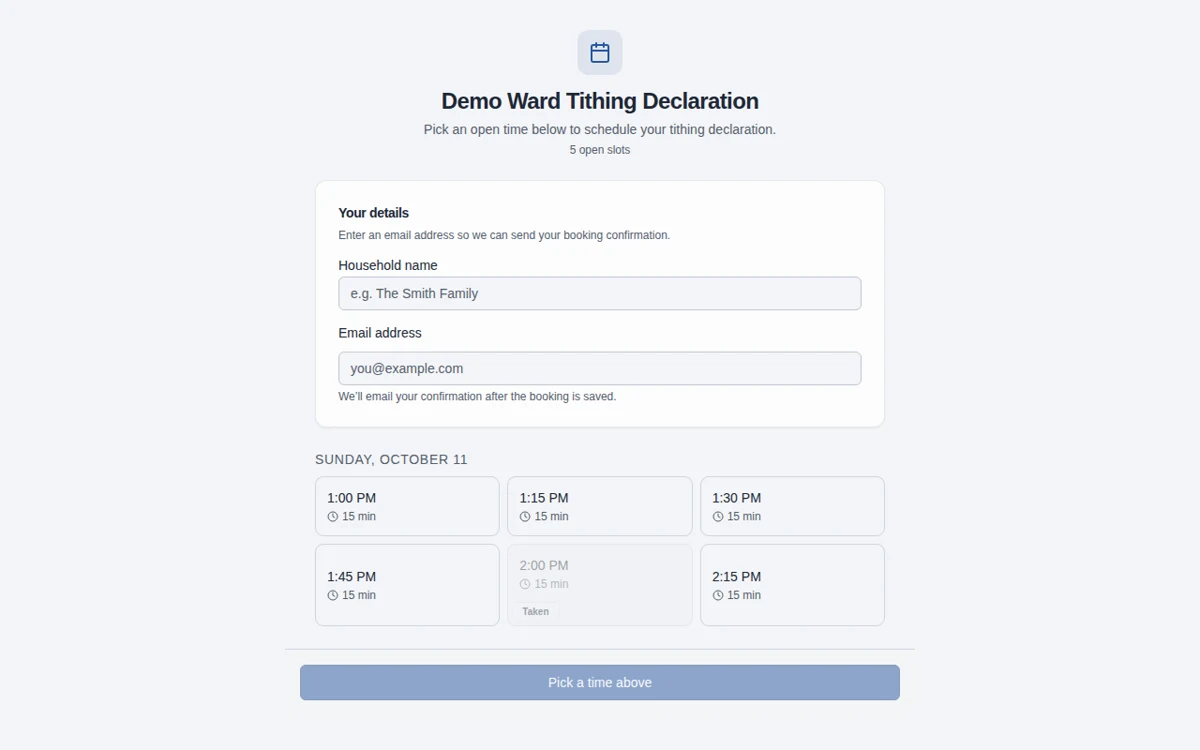
Sample template. Adapt it to your local needs.
How to use the template
Prepare the available times
Download the 2026 sheet and add the appointment dates and times your bishopric can offer.
Choose the right sharing method
Use paper for a simple local process, or create an app schedule and share its public booking link.
Keep changes and contacts private
Confirm appointments through the appropriate channel and keep household contact details off publicly posted sheets.
Appointments, not contributions
This template is for appointment times and household sign-up only. Do not add contribution amounts, declaration status, worthiness details, or interview narratives.
Paper or self-service scheduling
Paper can work well for a small schedule. The app adds open-slot booking, private self-service cancellation or rescheduling links, and email notification status. Phone-only bookings require manual contact.
Frequently asked questions
Can I use this for 2026 tithing declaration?
Yes. The downloadable sheet is labeled for 2026. Add your own local appointment dates and times.
Should the public sheet include phone numbers or email addresses?
No. Keep contact details in an appropriately restricted working copy, not a publicly posted sign-up sheet.
Can a paper sign-up reschedule itself?
No. Paper changes need manual coordination. The app’s private management link supports moving or cancelling a booking.
Does this record tithing payments or declaration status?
No. It is a scheduling sheet only. Official financial and declaration records belong in the appropriate Church systems.
Can I change the year for a future schedule?
Yes. Edit the DOCX for your own use. This public page and download are labeled for the configured year, so review the year before printing.
Can I edit this in Google Docs?
Yes. Download the editable DOCX, upload it to Google Drive, and open it with Google Docs. Save it as a Google Docs document to create your own editable version. No Google copy link or email sign-up is required.
What information should we enter?
Keep information limited to the names, contact details, dates, and planning details needed for the work. Do not enter financial contributions, worthiness discussions, or interview narratives, including in free-text notes. See the Data page for access and sharing guidance.
Make more room for people.
Start free · How your data is handled
Free forever. Works alongside LCR. Not for finances, worthiness discussions, or interview content.