Using AI with Bishopric Board
Let your own configured assistant help prepare routine planning work while you stay responsible for the details and decisions.
Start free · How your data is handled
Free forever. Works alongside LCR. Not for finances, worthiness discussions, or interview content.
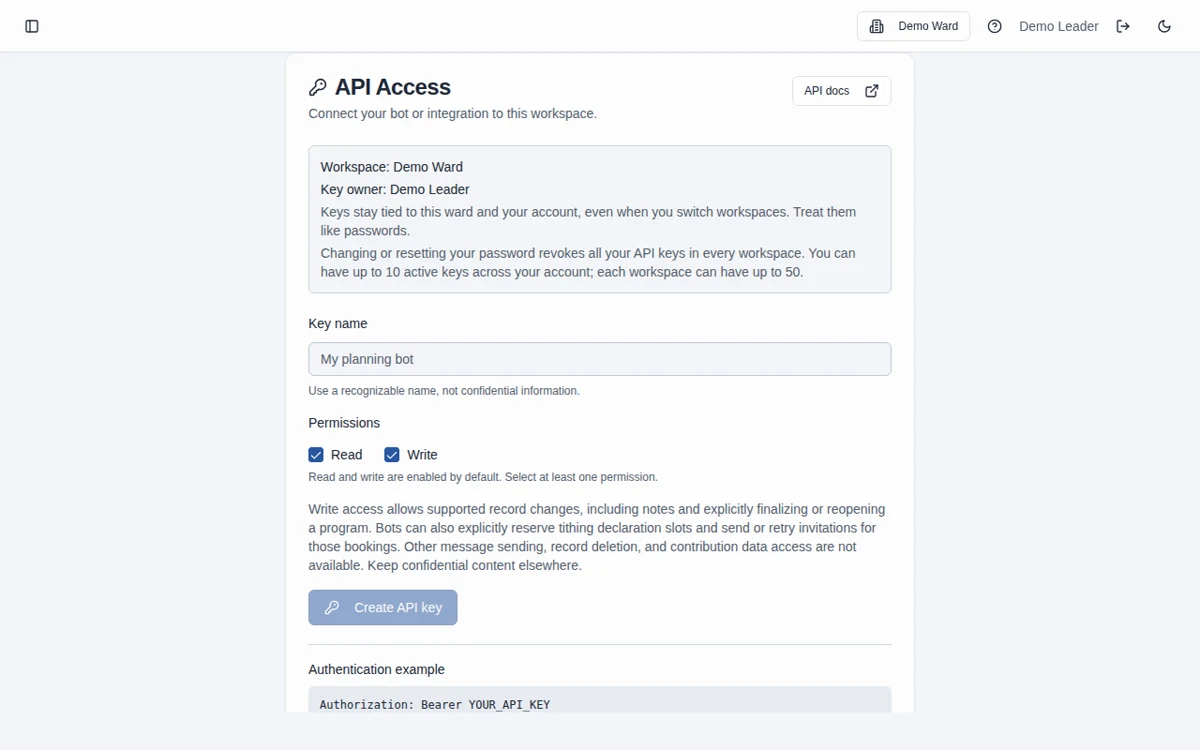
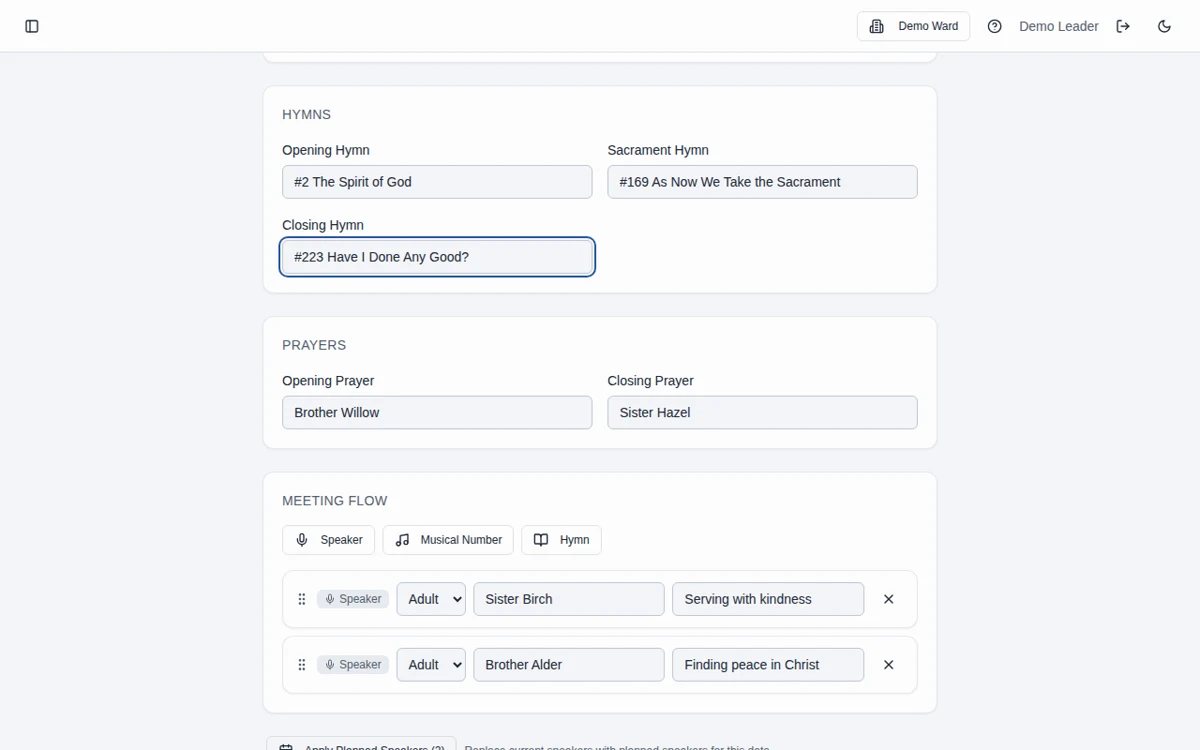
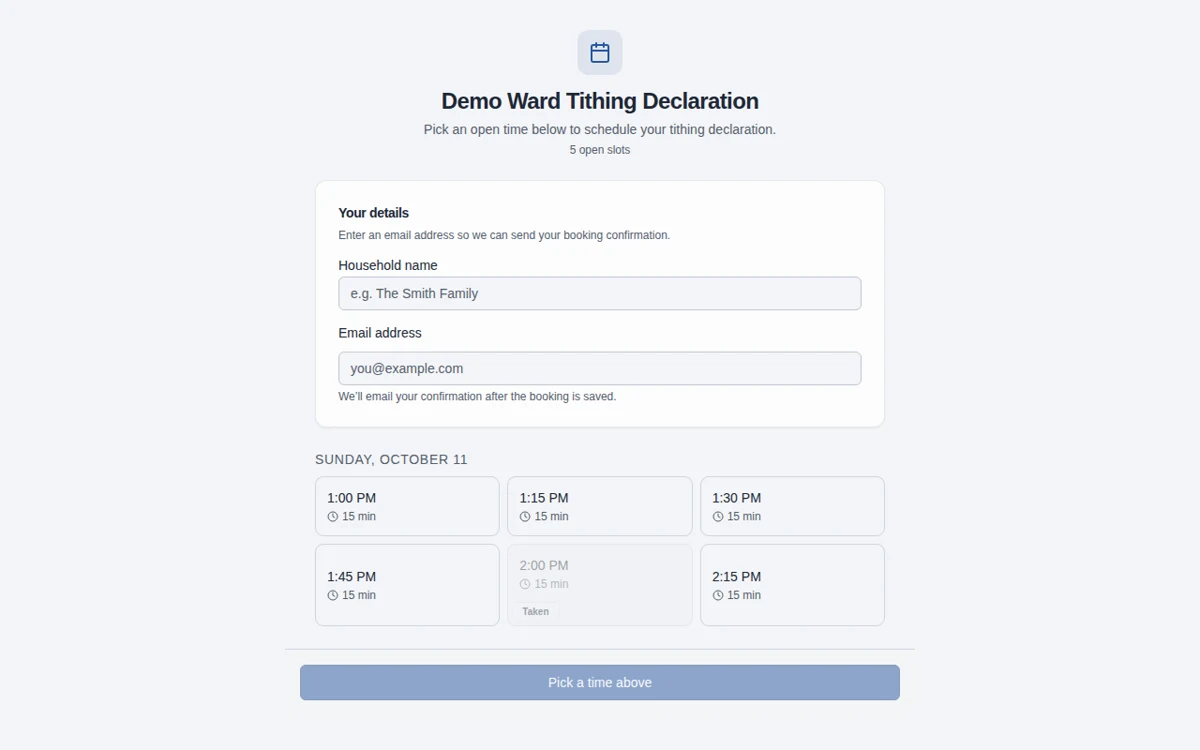
Screenshots use fictional Demo Ward or Demo Stake information only.
How it works
Create a personal key
In Settings → API Access, select the intended workspace and create a named key with only the read or write scopes your integration needs.
Configure your assistant
Use /api/docs to connect your chosen assistant securely. Check the key’s workspace with /me before any write and keep the secret out of public prompts or files.
Review every outcome
Check proposed program details, agenda edits, and action items. Review saved booking and email-delivery results separately, and revoke unused keys.
What a configured assistant can help with
Supported API actions include draft programs, speaker planning records, callings, meetings, agenda items, action items, and interview scheduling metadata. An external vision-capable assistant could transcribe a demo program photo into a draft, but photo reading is not built into Bishopric Board. See /api/docs for the actual endpoint contract.
Tithing booking is explicit and ward-only
A configured assistant can inspect availability, reserve a ward tithing slot, and explicitly request a fixed-template confirmation to the saved email contact. A successful reservation does not guarantee delivery. There is no arbitrary messaging, SMS, speaker-invitation delivery, or recipient override.
Personal keys, not shared passwords
Keys are bound to their issuing user and workspace, support read and/or write scopes, and stop working when revoked or when workspace membership is lost. Password changes and resets revoke the account’s keys in all workspaces. Keep keys in your integration’s secure credential storage.
No general delete access
There are no external DELETE endpoints or delete scope. Supported lifecycle states can archive or cancel planning items; replacing a draft program array can remove entries from that draft. No-delete access is not a promise that every write is harmless or reversible.
Rate limits and review history
Current limits are 60 requests per key, 120 per account, and 600 per workspace per calendar minute, with additional network and global protections. Honor Retry-After on a 429. Audit history stores endpoint/status/record identity, not request bodies, and is kept for up to 30 days, capped at the newest 10,000 requests per workspace. These rules and key quotas are documented at /api/docs.
Keep sensitive material out of the assistant too
Do not send contribution information, worthiness discussions, or interview narratives to an assistant or into workspace notes. Your external assistant has its own data practices; review those before granting access to any planning information.
Frequently asked questions
Is an AI assistant included in Bishopric Board?
No. The API lets you configure your own assistant or integration. You provide its connection and credentials and review its work.
Can AI enter a program from a photo?
A separately configured vision-capable assistant can transcribe a photo and use supported program endpoints to prepare a draft. Bishopric Board has no built-in photo importer. Verify every name, hymn, and meeting detail before use.
Can the API send invitations?
The only API outbound member action is an explicitly requested, fixed-template ward tithing booking confirmation. Speaker assignment status does not send an invitation. Generic messages and SMS are not supported.
Can an assistant delete our records?
There is no delete scope or external DELETE route. It can still change supported planning content or lifecycle states with write access, so use limited scopes and review changes.
What happens when I change my password?
Password changes and resets revoke all your personal API keys across workspaces. Create replacement keys for integrations you still want to use. Already admitted requests may finish; revocation does not undo committed work.
What information should we enter?
Keep information limited to the names, contact details, dates, and planning details needed for the work. Do not enter financial contributions, worthiness discussions, or interview narratives, including in free-text notes. See the Data page for access and sharing guidance.
Is Bishopric Board really free?
Yes. Bishopric Board is free forever. Optional donations are available inside the app; nothing is expected.
Make more room for people.
Start free · How your data is handled
Free forever. Works alongside LCR. Not for finances, worthiness discussions, or interview content.