LDS Callings Chart and Spreadsheet
Keep positions and calling follow-up organized with a simple chart you can adapt to your ward.
Start free · How your data is handled
Free forever. Works alongside LCR. Not for finances, worthiness discussions, or interview content.
Free template downloads
No email required.
Prefer Google Docs? Download the editable DOCX, upload it to Google Drive, then choose Open with → Google Docs. Use File → Save as Google Docs to make your own editable version. These are real downloads, not Google “make a copy” links.
Review the audience and contents before printing or sharing. Do not include finances, worthiness discussions, or interview content.
Sample template. Adapt it to your local needs.
How to use the template
Choose a chart or spreadsheet
Download the PDF, editable DOCX, or CSV for your preferred spreadsheet tool.
Add the work in progress
Record positions, names, status, and practical follow-up dates only as needed by authorized leaders.
Review and record officially
Keep the chart current and complete official calling and release updates separately in LCR.
A flexible starting structure
Use the CSV in your spreadsheet app and adapt columns to the work your team needs to coordinate. Imported data and formulas are maintained by you; there is no live app or LCR connection.
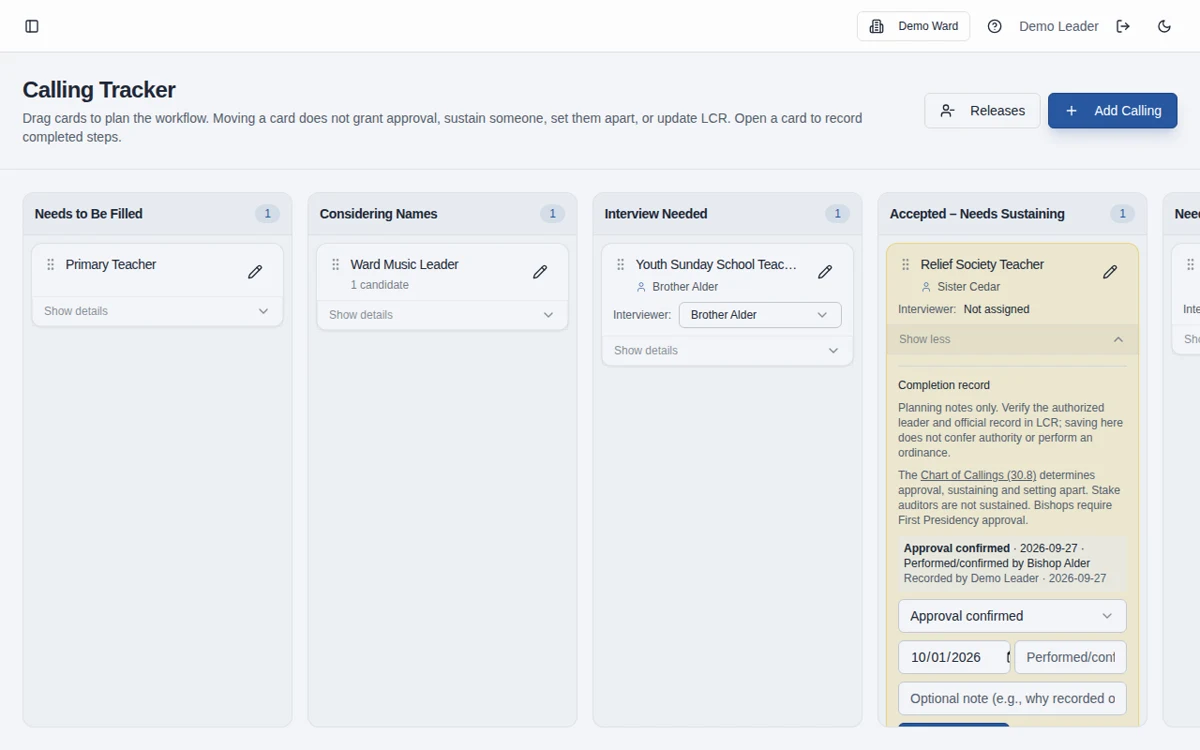
From rows to a shared board
The calling board provides a shared milestone workflow for candidates, calling progress, and releases when a standalone chart becomes harder to maintain.
Frequently asked questions
Can I open the CSV in Excel or Google Sheets?
Yes. Import the CSV into your spreadsheet tool, check the columns, and save your own working copy.
Is this an official record of our ward’s callings?
No. It is a working planning chart. LCR remains the authoritative record.
Does the chart sync with LCR or the app?
No. Downloaded files are standalone and must be updated manually. The app also does not automatically update LCR.
Can we use it to track candidates and releases?
Adapt the working chart for authorized planning. For a more structured workflow, the app has candidate tracking and a ward release-only board.
Can I edit this in Google Docs?
Yes. Download the editable DOCX, upload it to Google Drive, and open it with Google Docs. Save it as a Google Docs document to create your own editable version. No Google copy link or email sign-up is required.
What information should we enter?
Keep information limited to the names, contact details, dates, and planning details needed for the work. Do not enter financial contributions, worthiness discussions, or interview narratives, including in free-text notes. See the Data page for access and sharing guidance.
Make more room for people.
Start free · How your data is handled
Free forever. Works alongside LCR. Not for finances, worthiness discussions, or interview content.