Bishopric Meeting Agendas
Prepare one shared bishopric agenda so less meeting time is spent finding the latest list.
Start free · How your data is handled
Free forever. Works alongside LCR. Not for finances, worthiness discussions, or interview content.
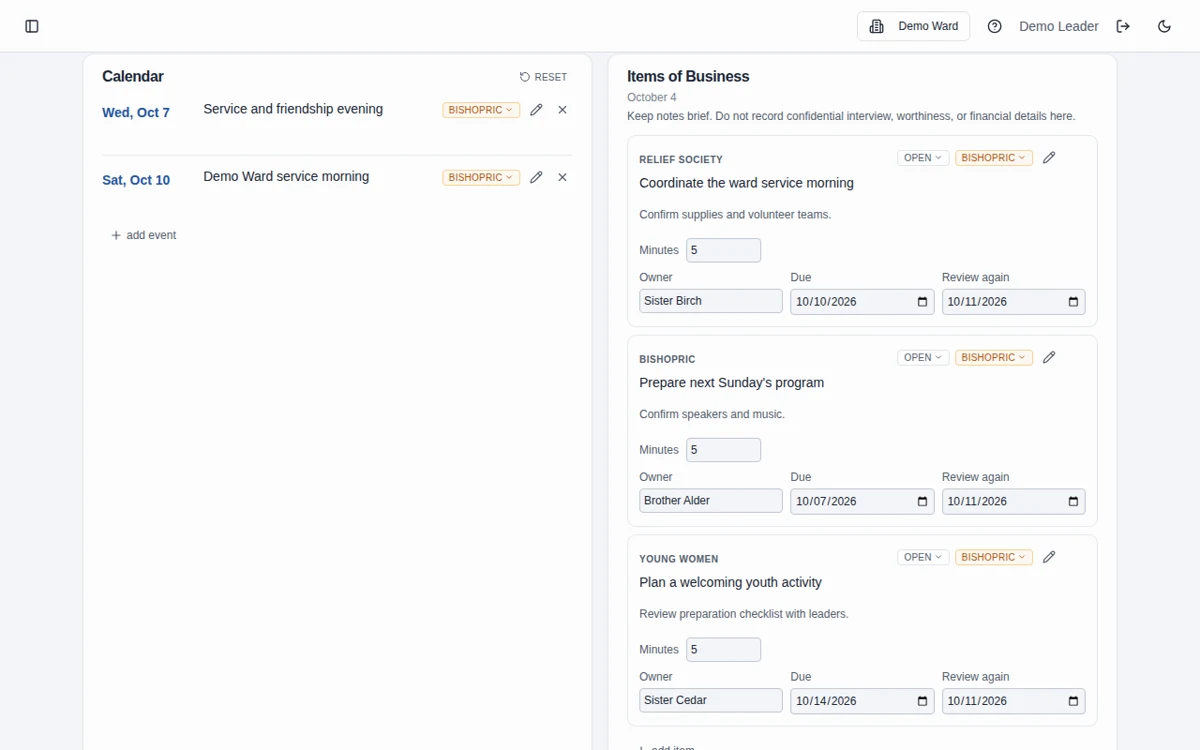
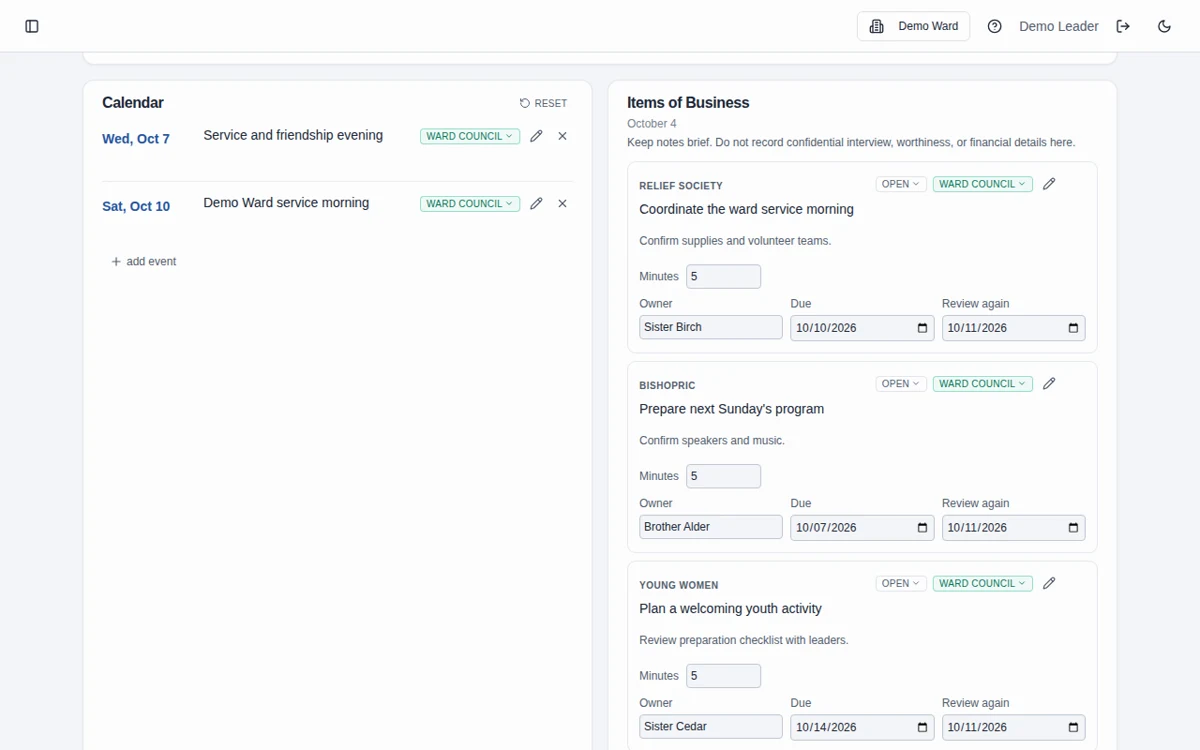
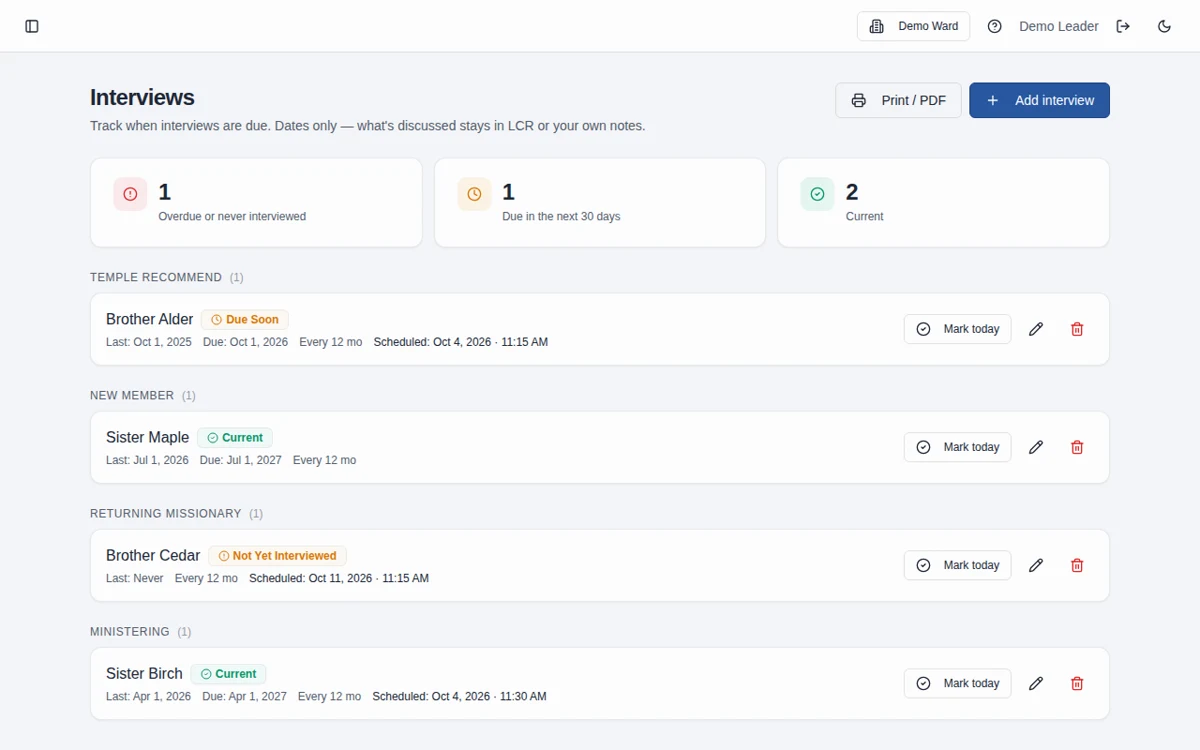
Screenshots use fictional Demo Ward or Demo Stake information only.
How it works
Create the meeting
Start with the agenda scaffold and add assignments, gathering details, and calendar items.
Prepare the business
Add practical discussion items and appointment scheduling details, keeping sensitive conversations out of the agenda.
Complete and follow through
Print the agenda if needed, complete the meeting, and review open business carried to the next meeting.
Edit together, print when needed
The agenda supports inline editing and a dedicated printable view. Open items can carry forward when a meeting is completed, helping the next meeting start with the remaining work.
An agenda is not an interview record
Use the interview list to coordinate appointments. Keep worthiness discussions and interview narratives out of all agenda text and notes. The separate interview cadence tracker is not synchronized with the meeting’s interview list.
Frequently asked questions
Do we have to build each agenda from scratch?
No. New meetings begin with a scaffold, and completing a meeting rolls open business forward to the next meeting.
Can we edit the agenda without opening dialogs?
Yes. Agenda fields are edited inline, with changes saved when you leave a field.
Can I export a bishopric meeting agenda as a PDF?
Yes. Use the meeting’s print view and PDF export, and check that the document is appropriate for its recipients.
Does the agenda interview list update the interview tracker?
No. The agenda’s interview list and the separate interview cadence tracker are independent. Update the appropriate scheduling information in each when needed.
What information should we enter?
Keep information limited to the names, contact details, dates, and planning details needed for the work. Do not enter financial contributions, worthiness discussions, or interview narratives, including in free-text notes. See the Data page for access and sharing guidance.
Does it replace LCR?
No. Leader and Clerk Resources is the Church’s official record. Bishopric Board helps with preparation and follow-through; it does not approve decisions or automatically update LCR.
Make more room for people.
Start free · How your data is handled
Free forever. Works alongside LCR. Not for finances, worthiness discussions, or interview content.