Focus on people. Not process.
Free planning tools for bishoprics and stake presidencies: callings, Sunday programs, agendas, and follow-up in one shared place.
Start free · How your data is handled
Free forever. Works alongside LCR. Not for finances, worthiness discussions, or interview content.
Used by 89 wards and 85 stakes.
See the work come together
Bishopric Board does not replace Leader and Clerk Resources (LCR). LCR is the Church's official record of what your ward is; Bishopric Board helps leaders prepare and follow through on work still in motion. The two are complements. Here's how to use them together.
The work you do most. Connected.
- Calling board with dated milestones for review; it does not grant approval or update LCR
- Sacrament meeting program builder (bulletin + conductor's script) with advisory readiness checks
- Speaker planner and history for upcoming Sundays and past speakers
- Bishopric and ward council meeting agendas
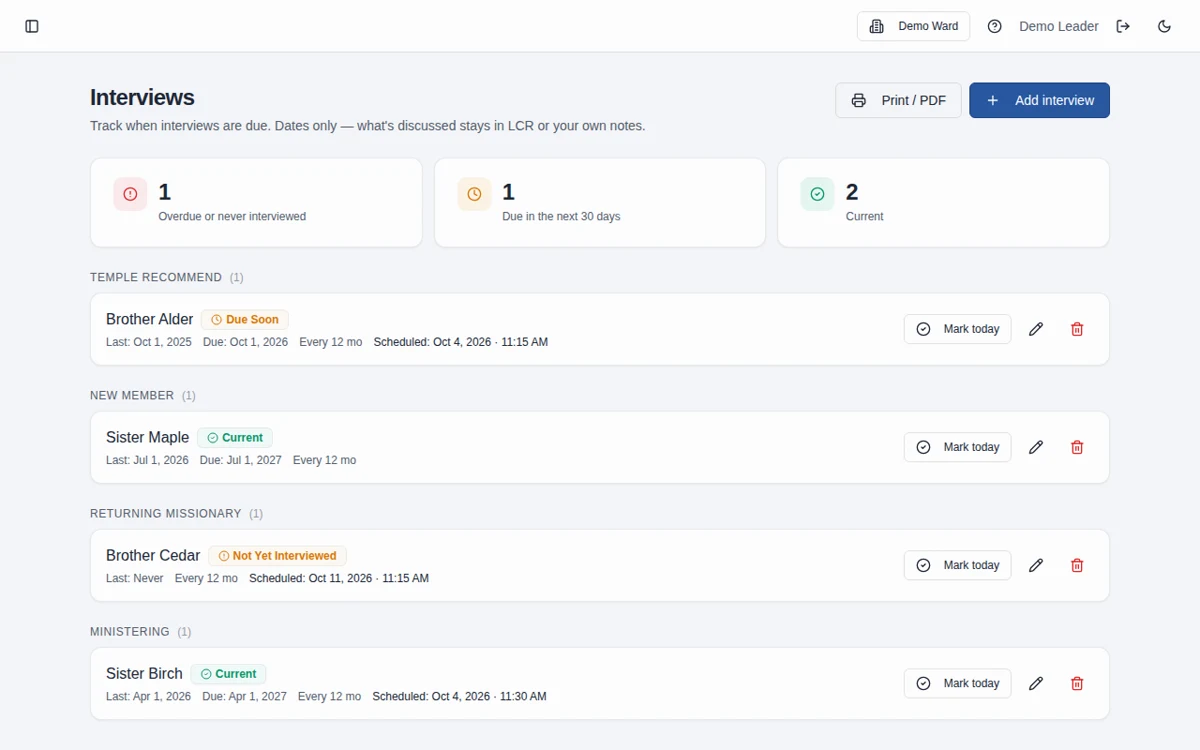
- Interview cadence tracking (temple recommend, youth, ministering) — dates and labels only, never content
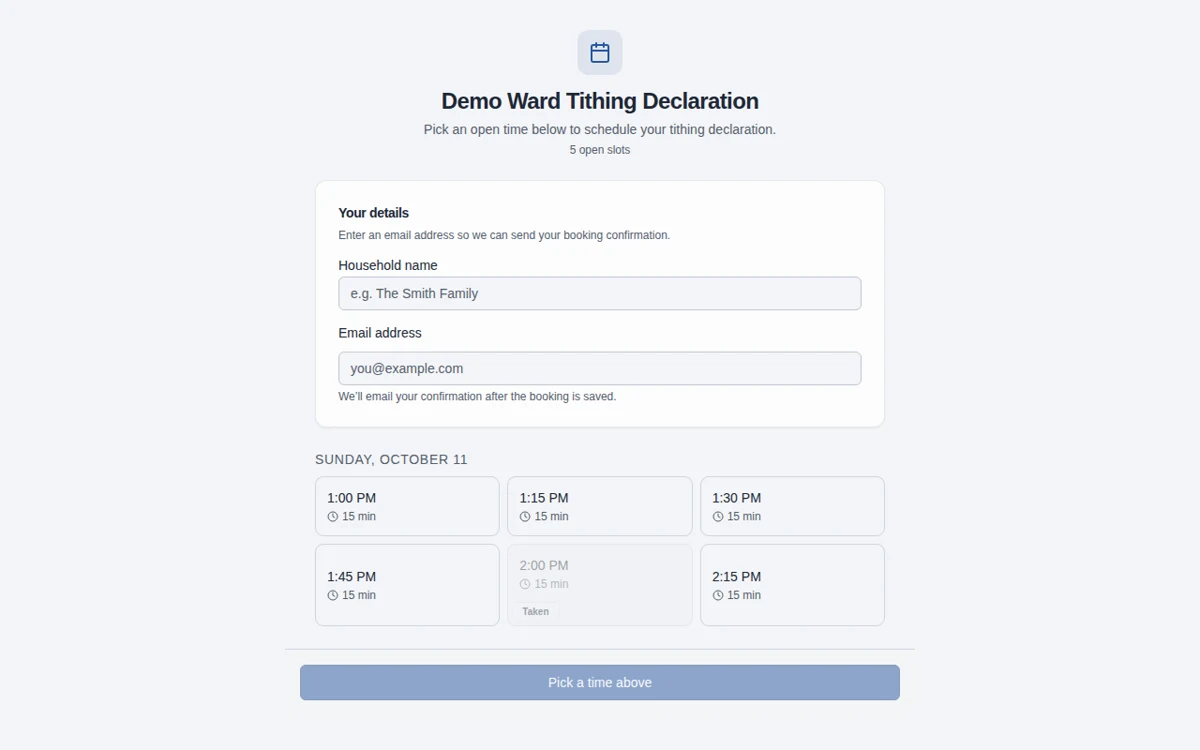
- Tithing declaration scheduling with public booking and self-service rescheduling
Speakers you plan can carry into new Sunday programs. Callings and releases can inform ward business. Hymns and meeting details come together in the program and conductor's script, so your preparation carries forward.
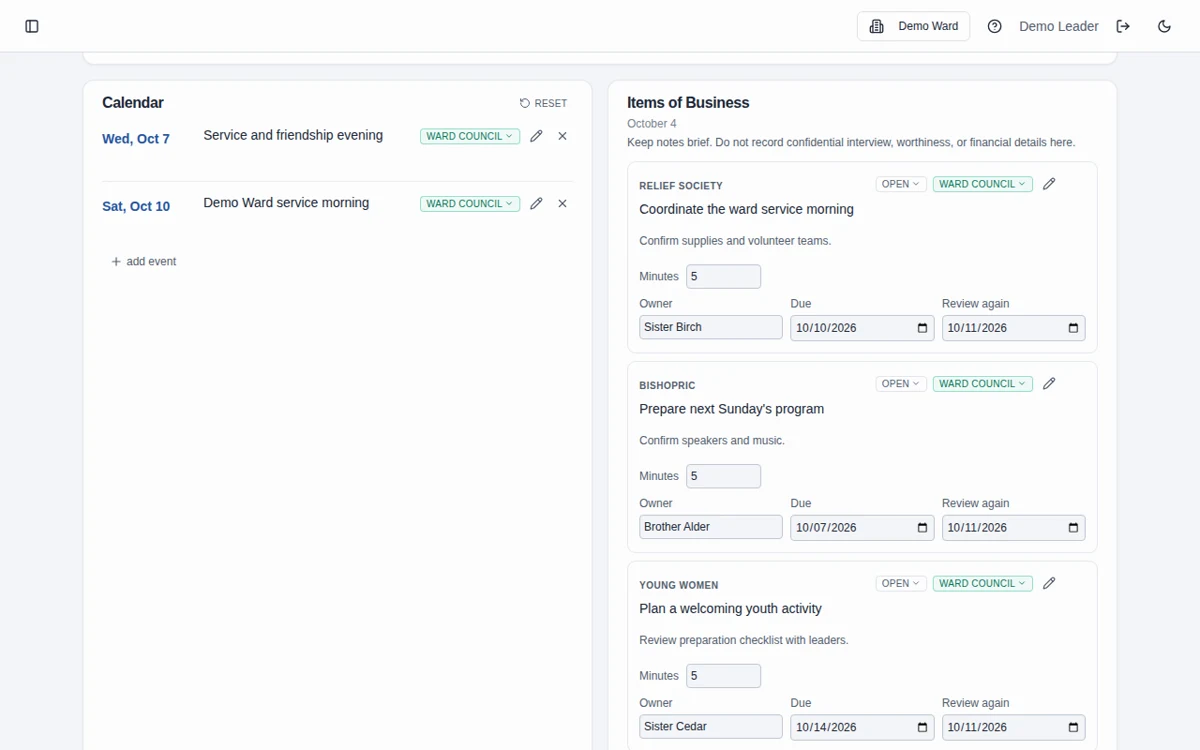
Ward council items can carry an owner, due date, and next review date. Youth activities can be planned by quorum or class with preparation checklists; leaders still confirm approvals and safety requirements. PDF exports ask you to review the intended audience and contents before printing, without automatically removing sensitive information.
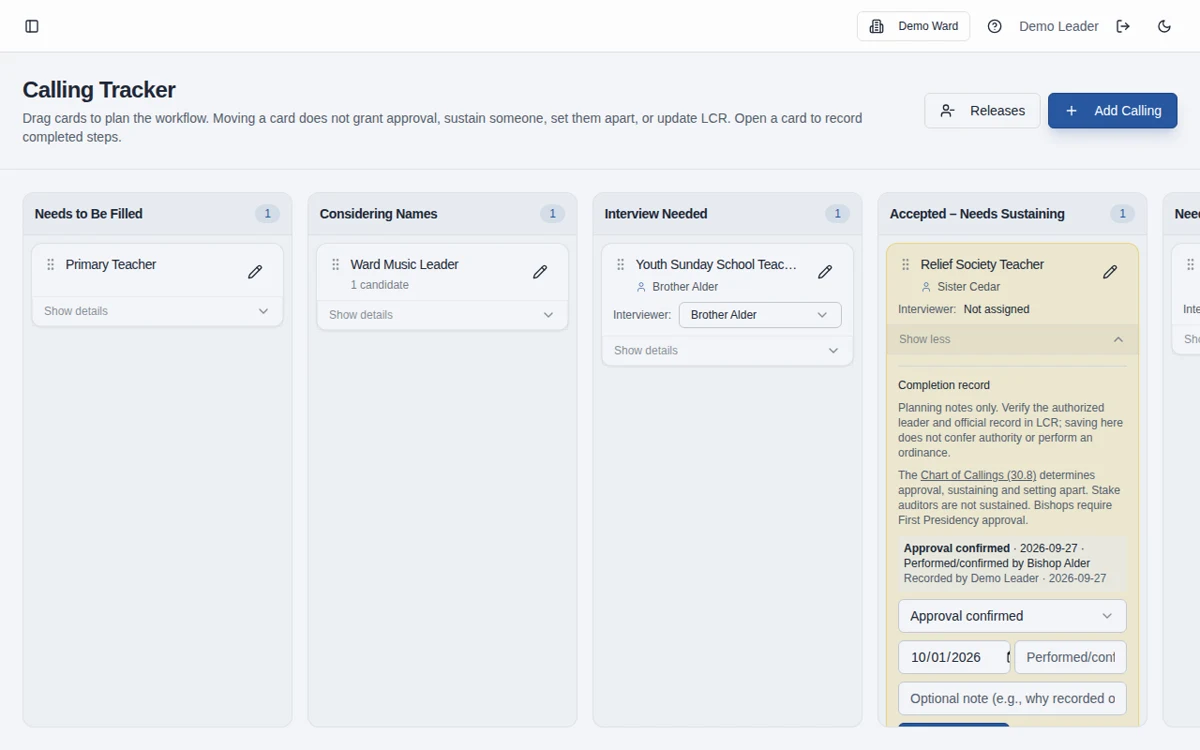
Calling Board for Callings and Releases
See where each calling stands without piecing together a spreadsheet, a text thread, and last week’s notes.
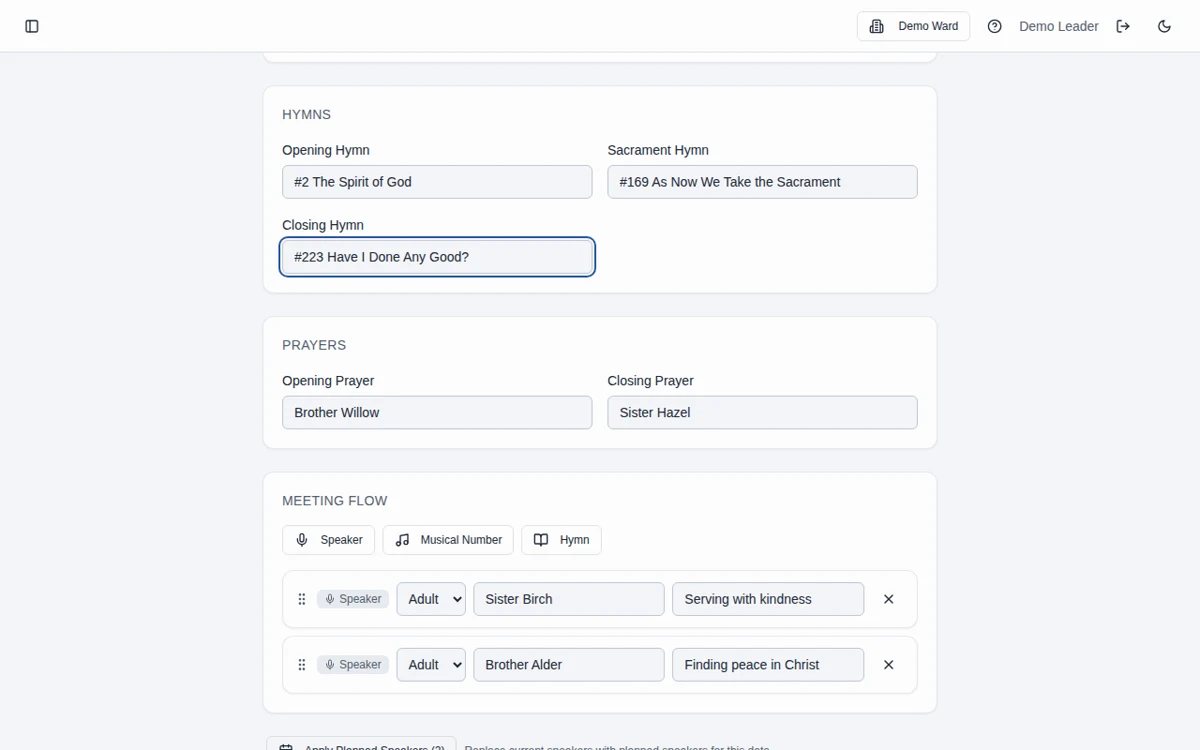
Sacrament Meeting Program Builder
Keep hymns, speakers, and ward business together instead of rebuilding the Sunday program across separate documents.
Ward Council Agendas and Action Items
Turn the council’s practical next steps into clear assignments that can be revisited at the next meeting.
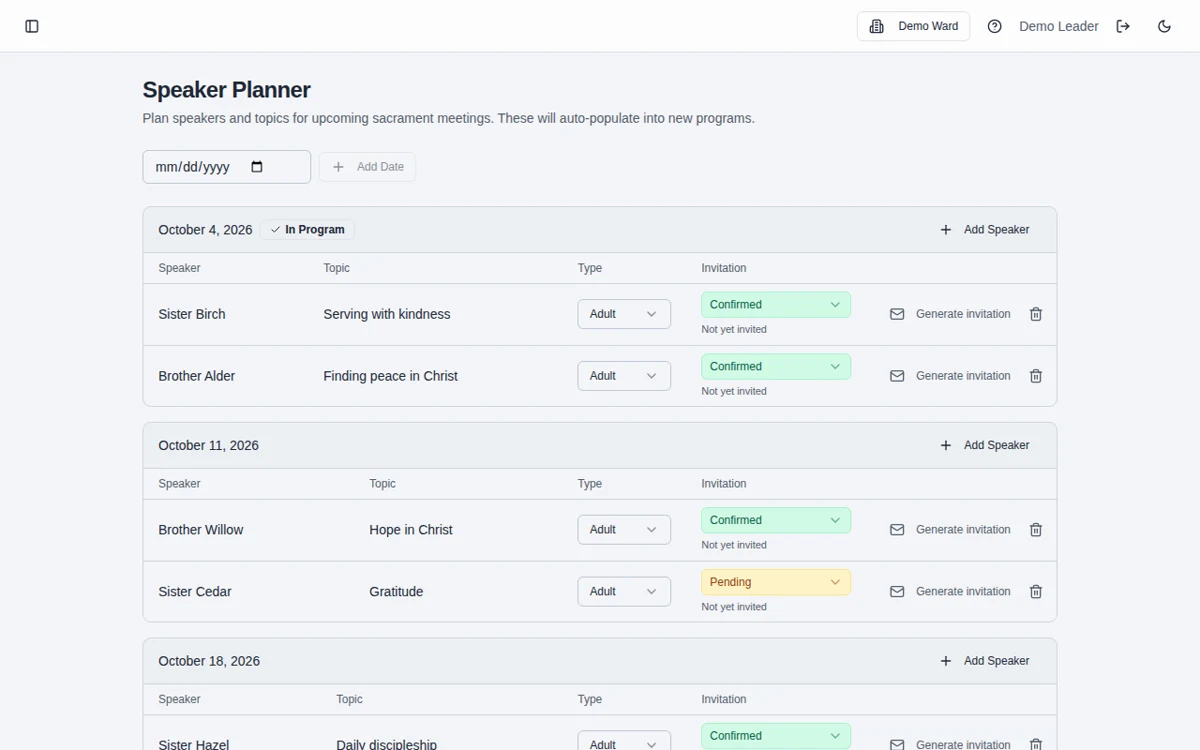
Sacrament Meeting Speaker Planner and History
Plan future Sundays with speaking history close at hand, rather than searching through old programs.
Tithing Declaration Scheduling
Give households a clear way to choose an appointment time while keeping contribution information out of the schedule.
Interview Tracking for Bishoprics
Keep interview scheduling and cadence visible without creating a record of the personal discussion.
Free to use. Nothing expected.
Bishopric Board is free to use. Optional donations support the developer, but nothing is expected. The donation link is inside the app once you're logged in.
Built for wards and stakes
Separate workspaces help ward bishoprics and stake presidencies prepare and follow through together.
Explore stake toolsFrequently asked questions
Is Bishopric Board really free?
Yes. Bishopric Board is free forever. Optional donations are available inside the app; nothing is expected.
Is it an official Church product?
No. Bishopric Board is an independent tool built by a member to help leaders. It is not affiliated with or endorsed by The Church of Jesus Christ of Latter-day Saints.
Does it replace LCR?
No. Leader and Clerk Resources is the Church’s official record. Bishopric Board helps with preparation and follow-through; it does not approve decisions or automatically update LCR.
What data does it store, and what should we leave out?
It stores limited names, contact details, and planning information such as callings in progress, agendas, assignments, and appointment dates. It is not designed for financial contributions, worthiness discussions, or interview narratives. Free-text fields are not a safeguard against entering sensitive content; please leave that content out. Read more on the Data page.
Who can see our workspace?
Workspace planning information is available to leaders with authorized access to that workspace. Public booking links, private appointment-management links, and exported documents have their own audiences; share them carefully.
Does it work for stake presidencies?
Yes. A separate stake workspace includes stake planning tools, calling coordination, presidency agendas, and stake-appropriate interview categories. Explore Tools for Stake Presidencies for details.
How do we get started?
Choose Start free, create your ward or stake workspace, and invite the leaders you work with. Start with the next meeting rather than trying to organize everything at once.
Can I use it with an AI assistant?
Yes, through a personal API key connected to your chosen assistant. You must configure that connection and review its work; there is no built-in photo-to-program assistant. See Using AI with Bishopric Board and /api/docs for supported actions and limits.
Does it work on my phone?
Yes. Bishopric Board is a responsive web app you can open in your phone’s browser. Dense planning grids may require horizontal scrolling; a larger screen can be more comfortable for longer editing sessions.
How do I get help?
Contact the developer, Jon Cheney, on LinkedIn: https://www.linkedin.com/in/joncheney/ You can also use the in-app User Guide. There is no promised support response time.